![logo-light.png]](https://help.thorit.de/hs-fs/hubfs/logo-light.png?height=18&name=logo-light.png)
Apple has announced changes for iOS 14 devices that impact Meta conversions tracking. Apple is thus offering iOS 14 users the option to opt out of tracking in the future.
As more and more people with iOS 14 devices do not agree to tracking, we will no longer be able to optimize Meta ads based on the data of these users. Meta has therefore announced that it will use a so-called aggregate event measurement protocol as soon as these changes are implemented by Apple, so that the behavior of iOS 14 users can still be processed and used for optimization.
The following link provides more information on this topic:
https://www.facebook.com/business/help/331612538028890?id=428636648170202.
In preparation for this update from Meta, a few actions need to be taken. Among other things, a TXT record must be added to the DNS configuration. This will verify the domain with Facebook.
Below are the instructions for doing this:
Please log in via https://business.facebook.com.
There you can add a domain in the company settings under Brand Safety > Domains via the blue button.
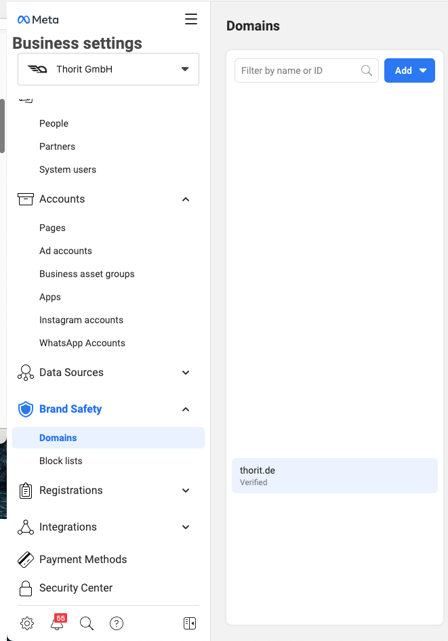
When you add your domain, you will see instructions on the right under DNS Verification on how to add the TXT record to the DNS configuration. Please follow these instructions
Basic steps:
- Log in to your domain registrar and go to the DNS Records section.
- Add this TXT record to your DNS configuration:
[Individual TXT Record]. - type "@" in the host field (if required by your domain host).
- wait for your DNS configuration changes to be propagated to your website's domain servers (this can take up to 72 hours). Then click on "Confirm".
Next, add us to the domain as a partner.
This can be done via the "Assign partner" option.
The ID is 1126593727473599.
The last step is to prioritize the events. To do this, go to the Events Manager in Meta Business Manager. There you will find the tab "Measurement of aggregated events" in the middle at the bottom. Please click there and then select "Configure Web Events".
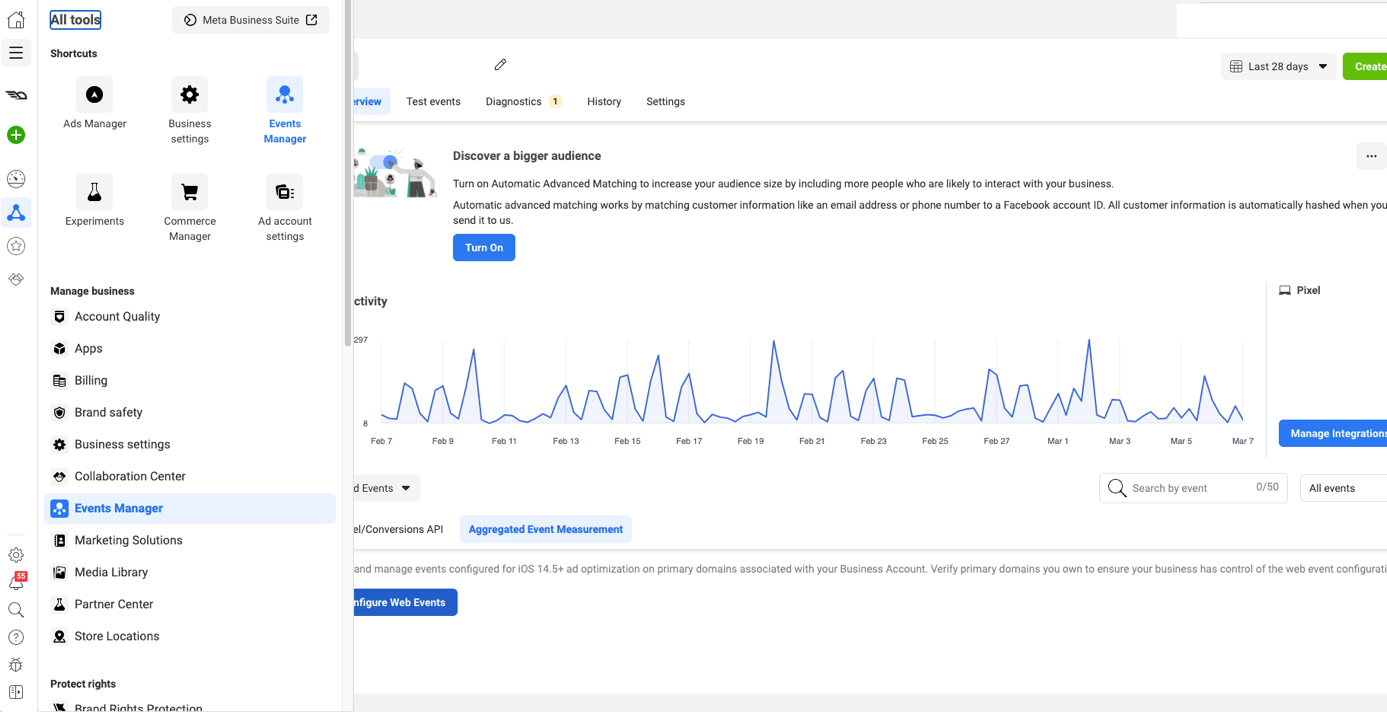
You will then see your domain there. If you click on it, the button "Edit Events" will appear. Please select it. With the green button on the right you can add an event. Please select the conversion events we have defined. You can drag and drop the events based on your prioritization. Save the settings and the verification will be completed.